
Search
Import Line Items From Hire Contract
Import all your line items from a selected Hire Contract
On the invoice page you have the ability to import Chargeable Items from a specific Hire Contract to make your operations more streamlined.
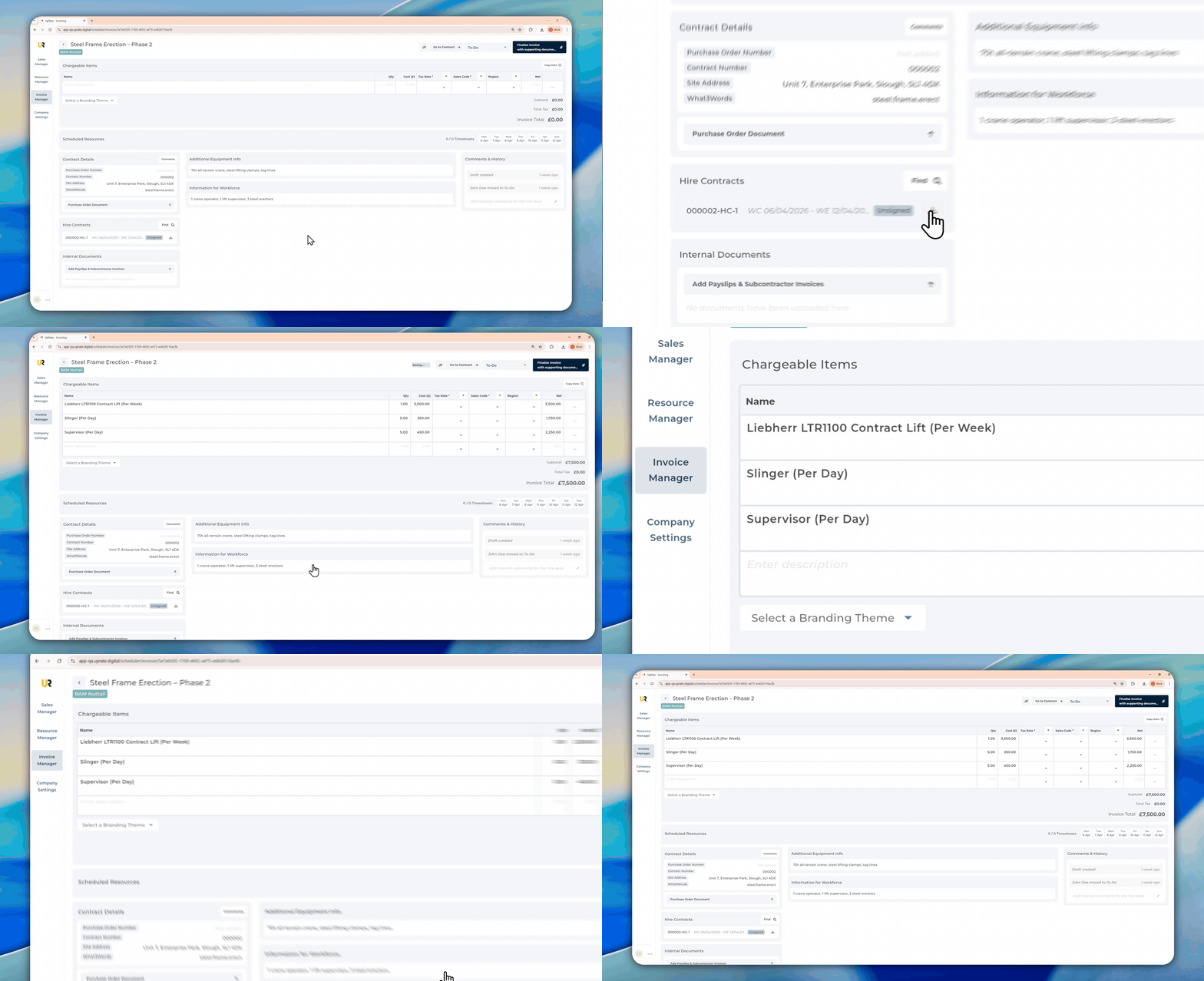
Import Line Items From Hire Contract in View
Open the Invoice Manager.
Find the invoice you want to edit
Find the Hire Contract on the left hand side under the Hire Contracts section
Click the Import button to import all the Chargeable Line Items from the Hire Contract
Find Hire Contracts Not in View
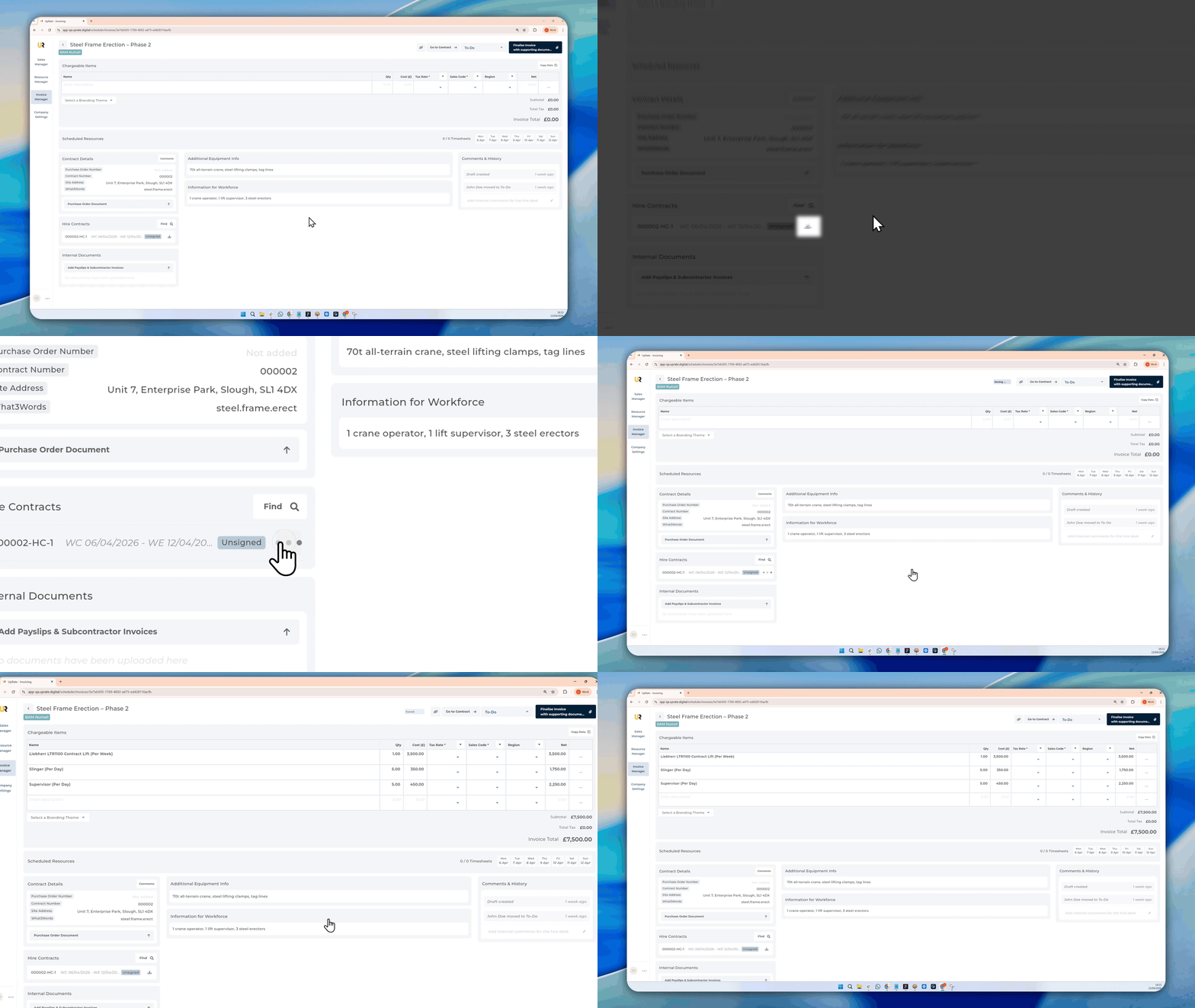
Hire contracts are filtered out based on the week you are currently viewing. If the Hire Contract you need to import the line items from is not in view you can search for it the following way:
Open the Invoice Manager.
Find the invoice you want to edit
Click on the Search button on the left hand side under the Hire Contracts section
Select the Hire Contract from the list
Click the Import button to import the line items into the invoice
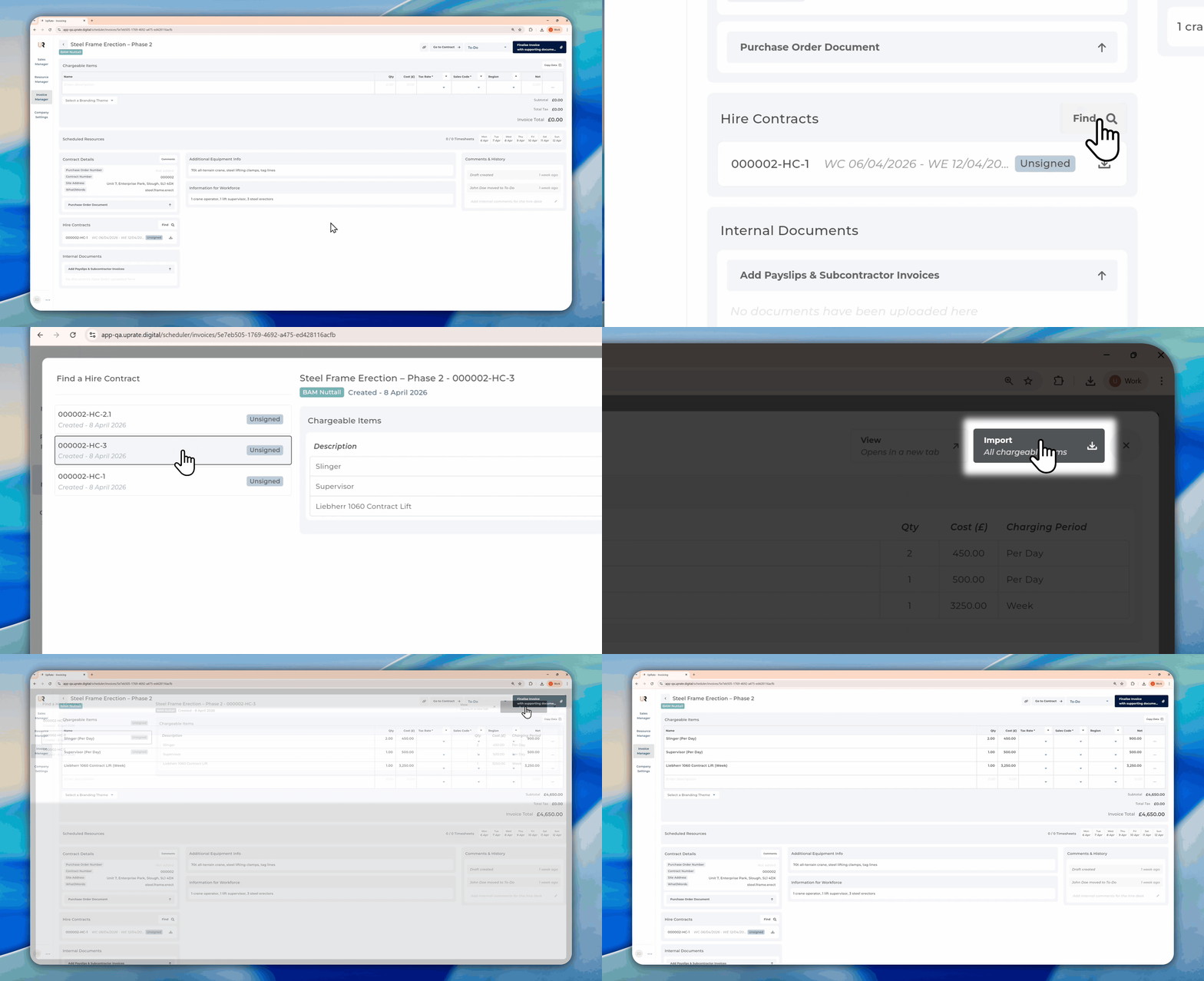
Imported Line Items Pre Populate the Chargeable Period
When you import the line items from a Hire Contract it will automatically import the charging period and appends it at the end of the description.