
Invoice Manager Improvements
We've released some big improvements to the Invoice Manager
Send invoices to Xero from within UpRate
The biggest feature is our new Xero integration. You can now fill out the Chargeable Items table, choose a Tax Rate and Sales Type, and then submit the invoice straight to Xero. The system will then automatically retrieve the invoice PDF from Xero so that you can send it to your customer.
You can watch a demo of this new feature here on YouTube.
Import charge items from hire contracts
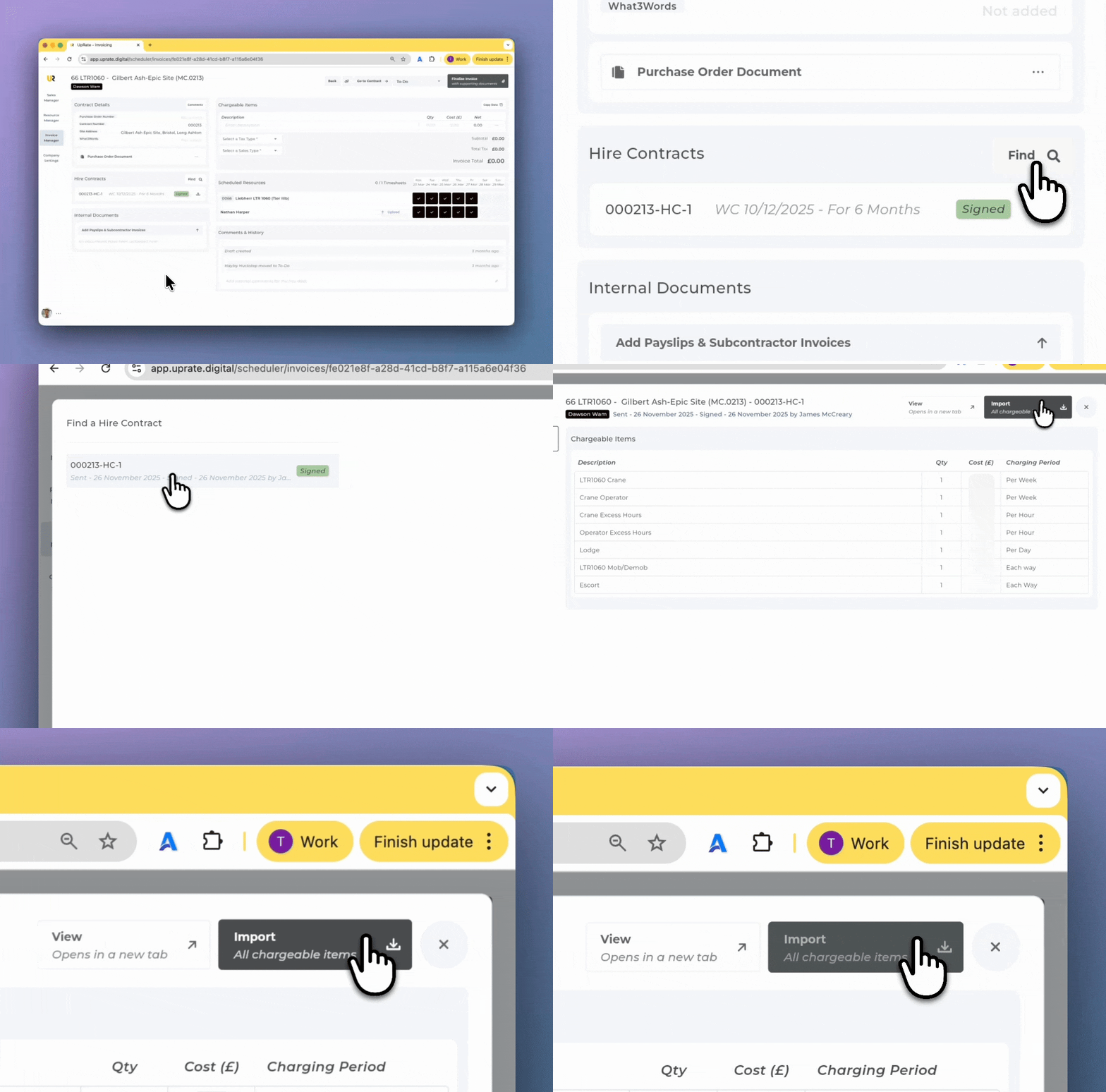
If you are processing an invoice, you can now populate the Chargeable Items table by importing items from your hire contract.
Click the "Find" button in the hire contract section, choose your hire contract and then click the "Import" button.
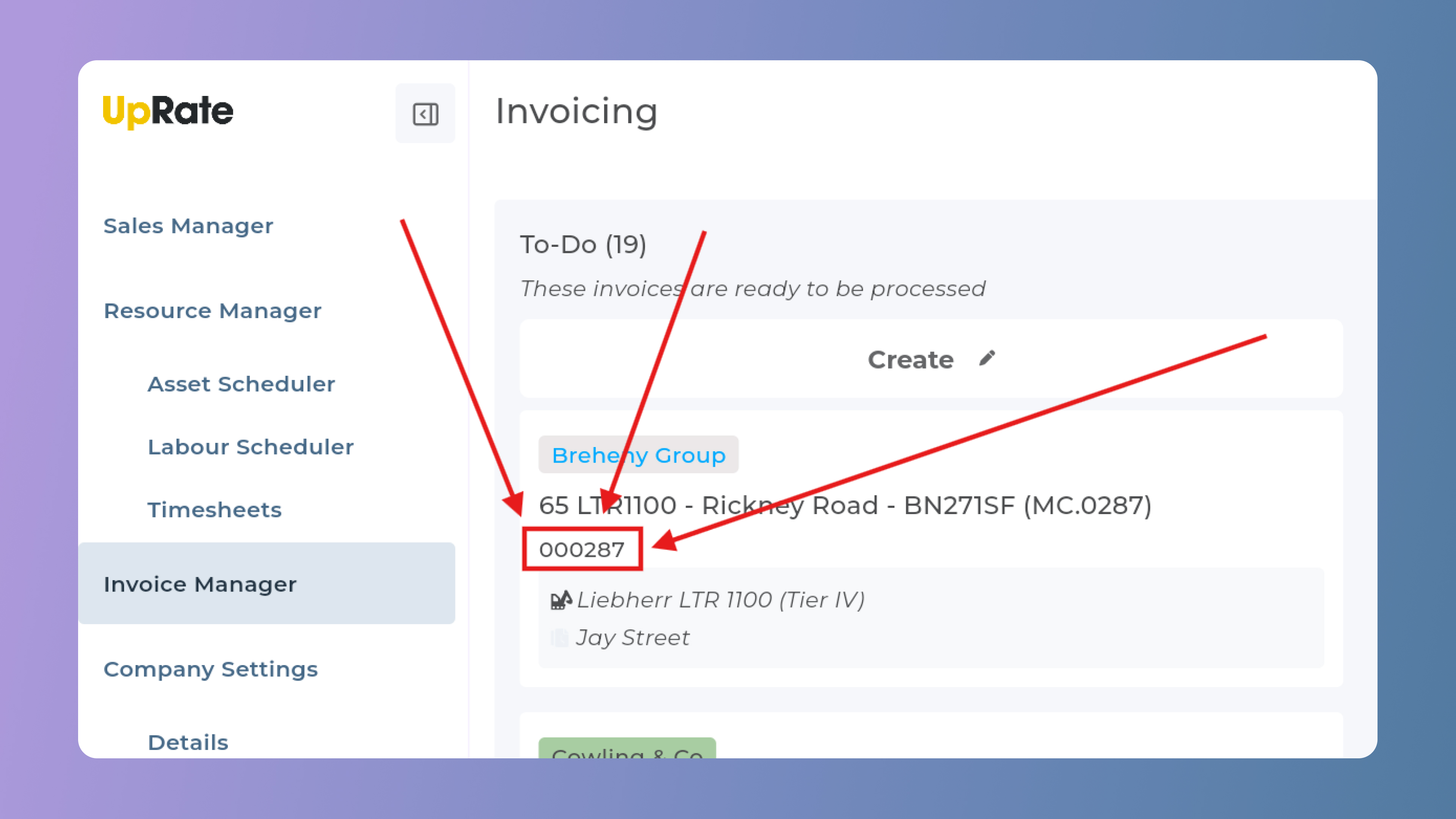
Show contract number on invoice cards
The cards on the Invoice Manager now show the contract number, in addition to the customer and contract name.
Search for specific invoices
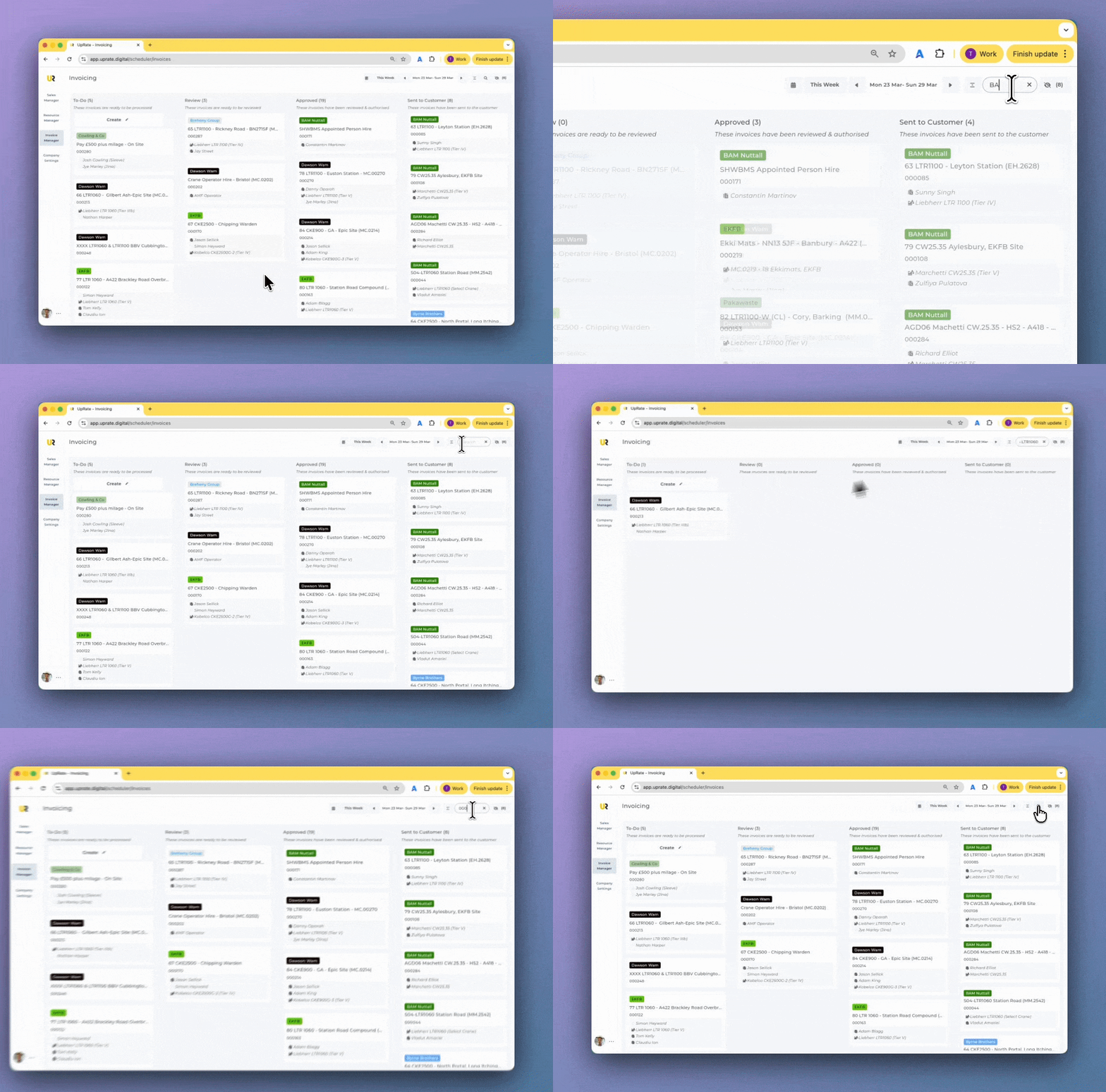
We've fixed the Invoice Manager search feature. Click on the search button in the header, type in a contract number, customer name or contract name, and the list will filter to only show invoices that match your search.
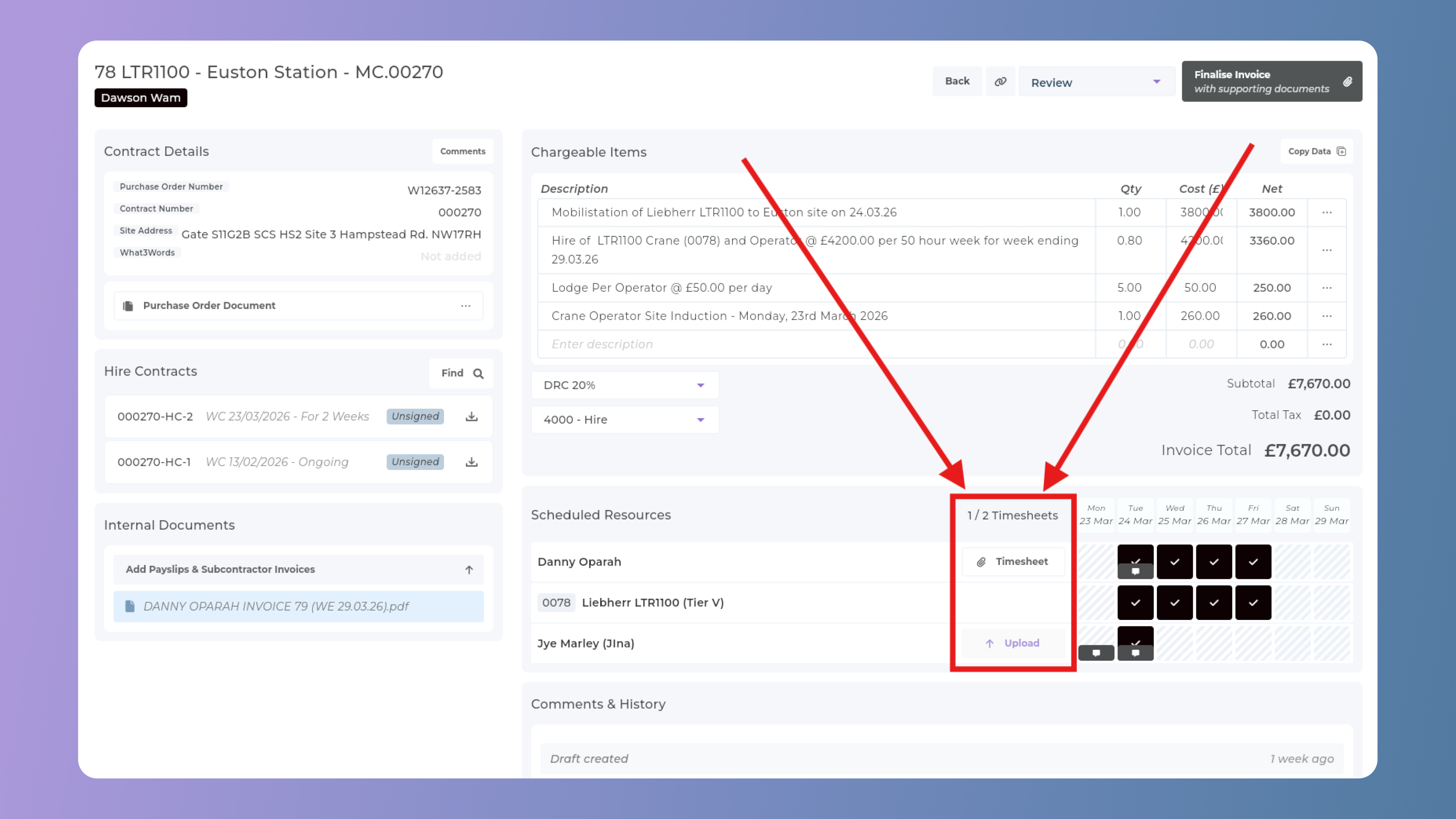
Access timesheets from Scheduled Resources
We've added a new "Timesheets" column to the Scheduled Resources section. If a timesheet has been uploaded for a resource, it will show here and you can click on it to open the timesheet(s) in a new browser tab.
Jump between Invoice and Contract page
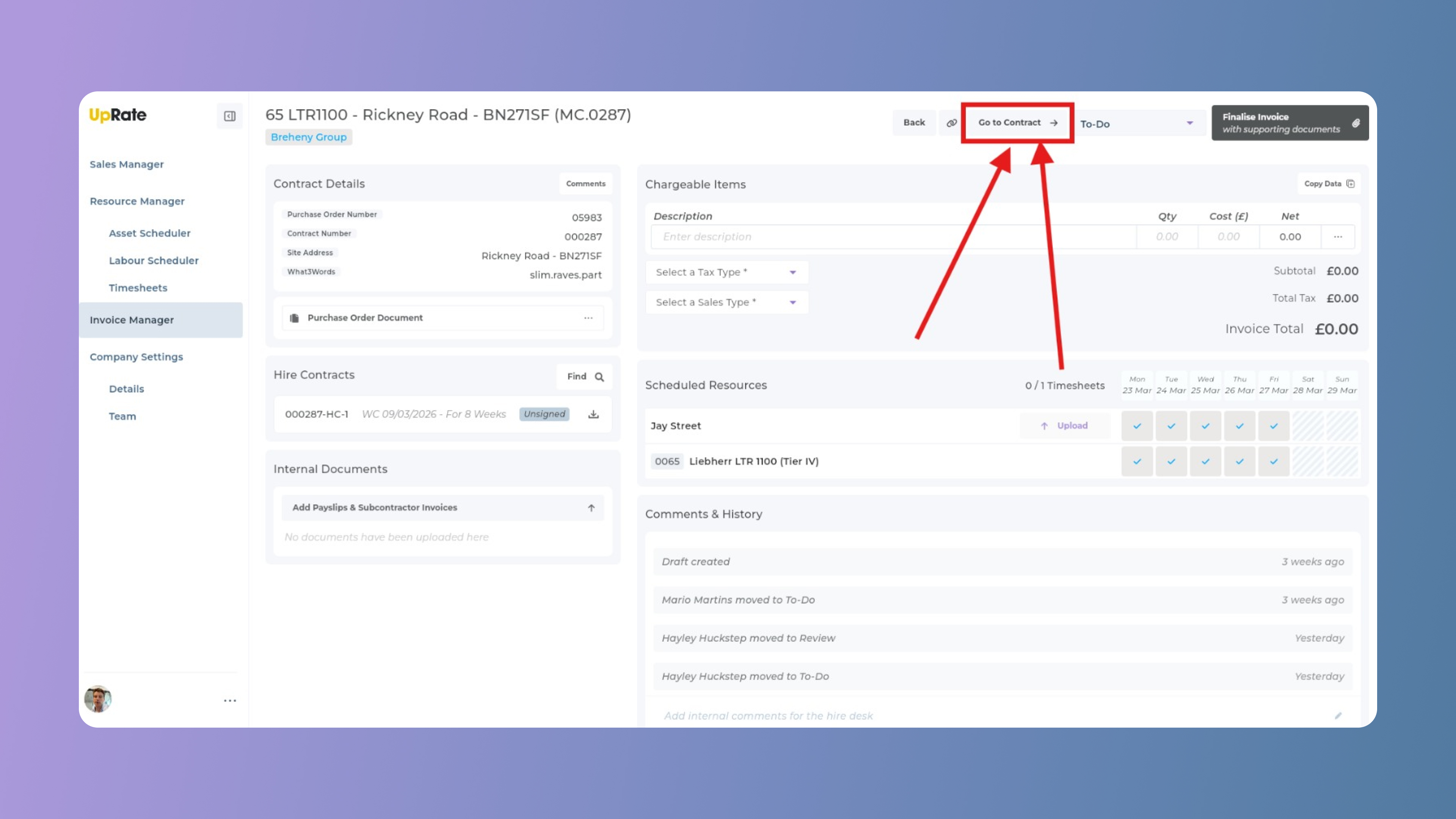
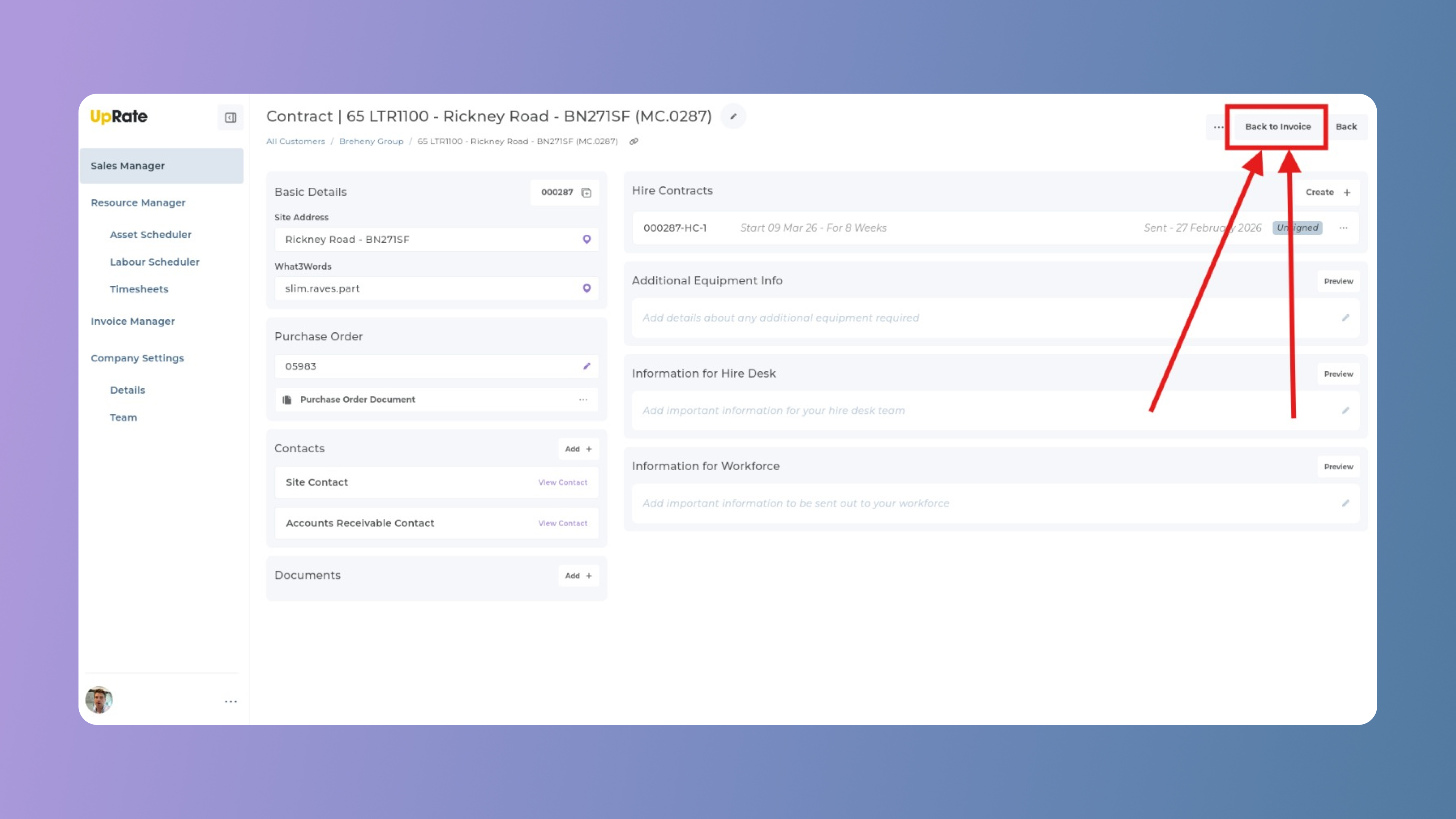
We've added a new "Go to Contract" button on the invoice page. If you click this button it will take you to the contract page in the Sales Manager. On the contract page you will then also see a new "Back to Invoice" button that then lets you easily return to the invoice.