

Add/Edit Customer
Add or edit customers
You can add a new Customer, update an existing one, or archive a Customer when they are no longer active. Customers cannot be permanently deleted from the system. This ensures that important historical data, such as previous invoices, hire contracts, and other records, remains available for reference and reporting even after the Customer is no longer current.
Add New Customer
Go to Sales Manager in the Left hand navigation Sidebar
Click New in the top right corner
Add the Customer Name
Edit the text and background colours (optional)
Click Save
Edit an Existing Customer
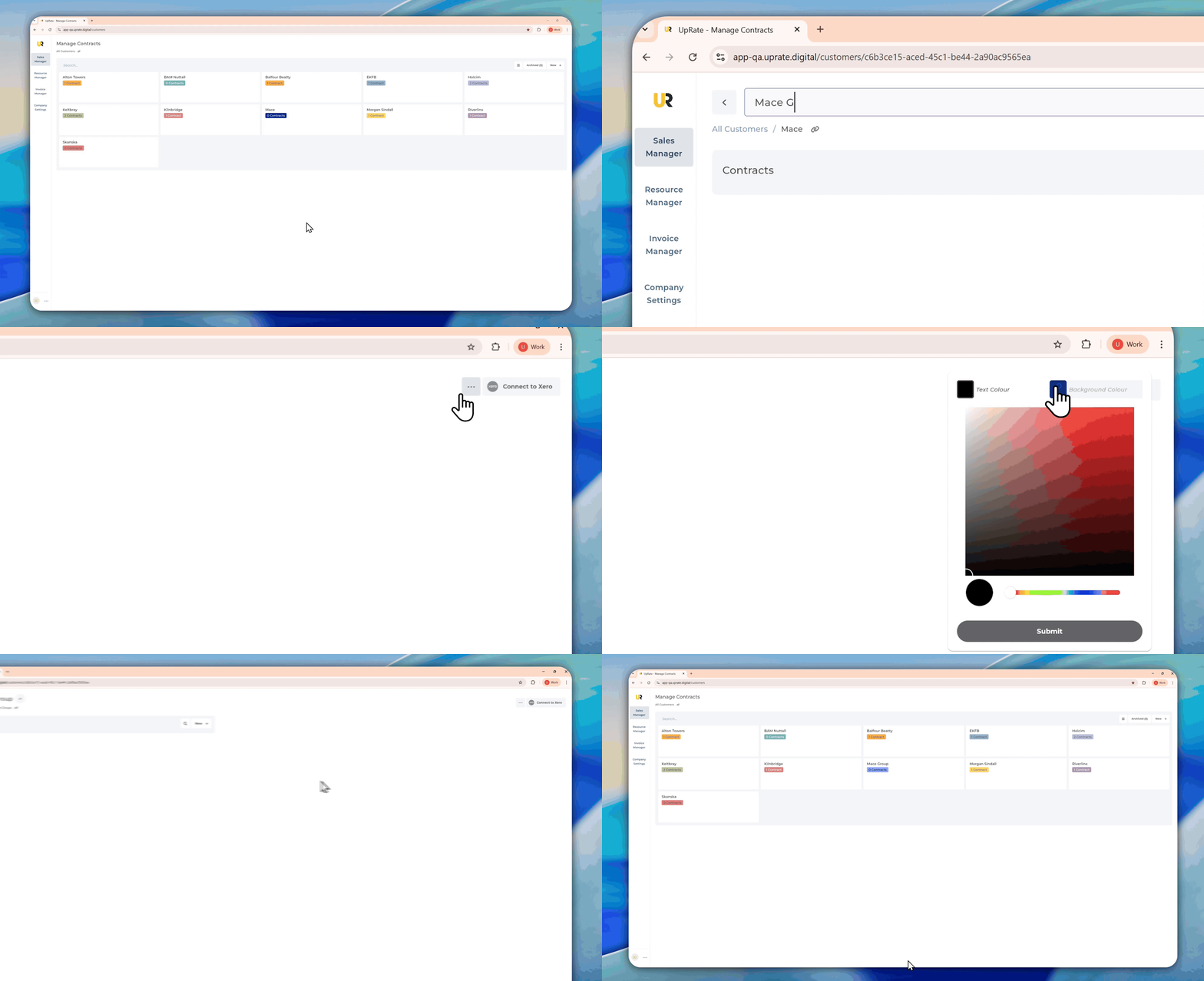
Edit Customer Name
Click on the Customer to edit
Click on the Edit button next to their name
Change name and press enter (or simply click away to save automatically)
Edit Customer Theme Colours
Click on the three dots in the top right corner in the Customer View Page
Click on Edit Customer Theme
Choose Text Colour and Background Colour
Click Submit
You can edit an existing Customer to update their details whenever needed. Any changes made to a Customer record will be reflected across past, current, and future contracts and Hire Contracts linked to that Customer. For this reason, Customer details should be updated with care, and changes to the Customer name in particular should be made cautiously, as they may affect historical records and documents.
Archive/Unarchive an Existing Customer
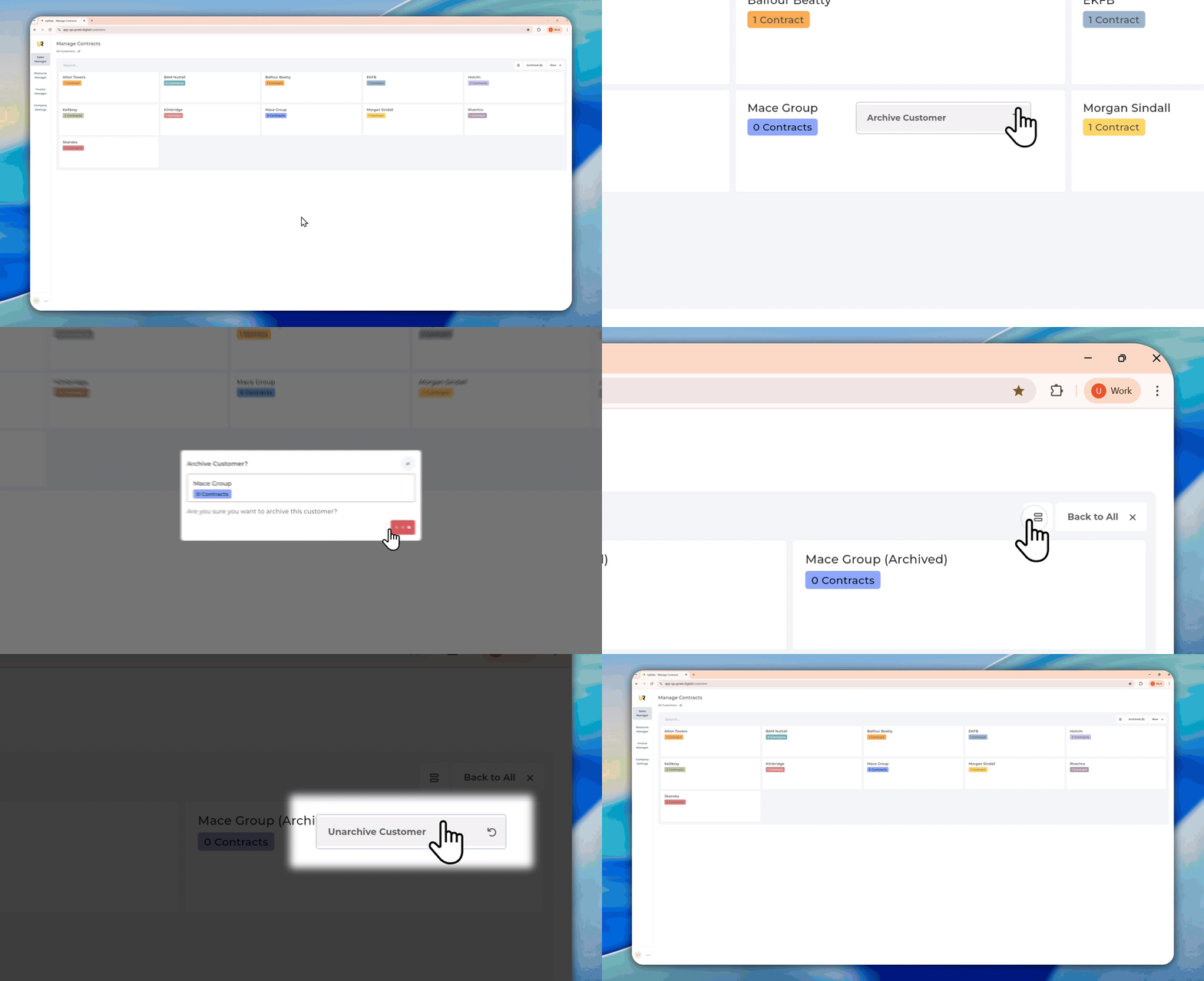
Archive Customer
Find the Customer you want to archive
Click on the three dots in the top right corner of the Customer Sticker
Click Archive Customer
Click Archive Customer in the confirmation Pop Up
Unarchive Customer
Click on the Archived button in the top right corner of the Sales manager view
Find the Customer you want to unarchive
Click on the three dots in the top right corner of the Customer Sticker
Click Unarchive Customer
Click Back to All
You can archive a Customer when they are no longer active. Archiving is a soft delete, which means the Customer is removed from active use but is not permanently deleted from the system. This keeps all historical data intact, including invoices, contracts, and Hire Contracts. Archived Customers can be made active again at any time by unarchiving them.