

1.52 - 01.07.2026
Collapsible swim lanes, timesheet manager UI improvements, Xero default settings.
Contract Default Labels
You can now set a default Custom Label on a contract.
When a default label is selected, every new assignment created for that contract will automatically apply this label to all assigned resources.
This is particularly useful for identifying different contract types, such as:
CPA Hire
Contract Lift
Transport
Any other custom label you have created
The label is only applied to newly created assignments. Existing assignments will not be updated automatically.
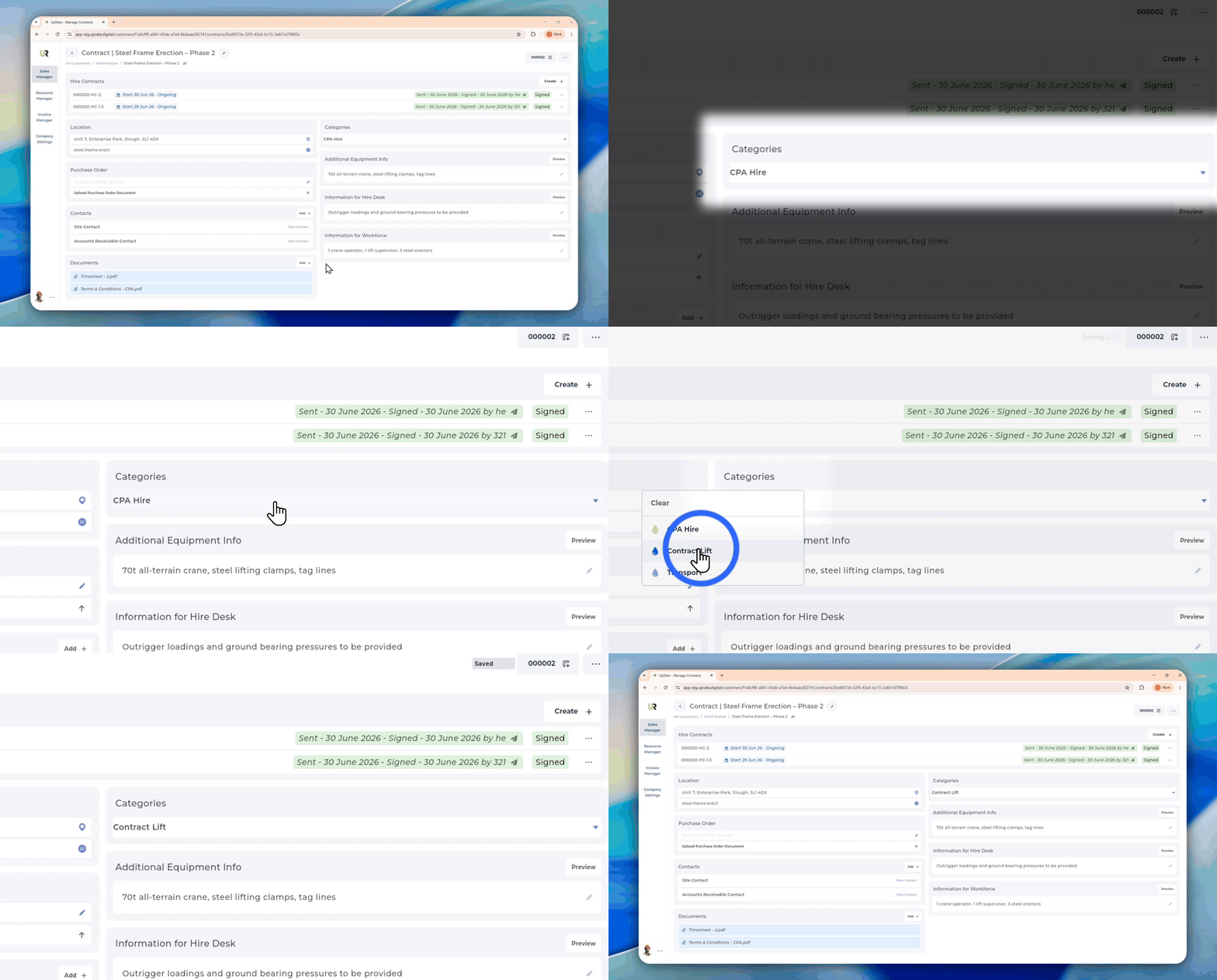
How to Change Default Custom Label
You can change the default custom label any time. Please note this will not update existing assignment slots, it will only apply to the new ones.
Sales Manager
User the Categories section to change the default category for the contract
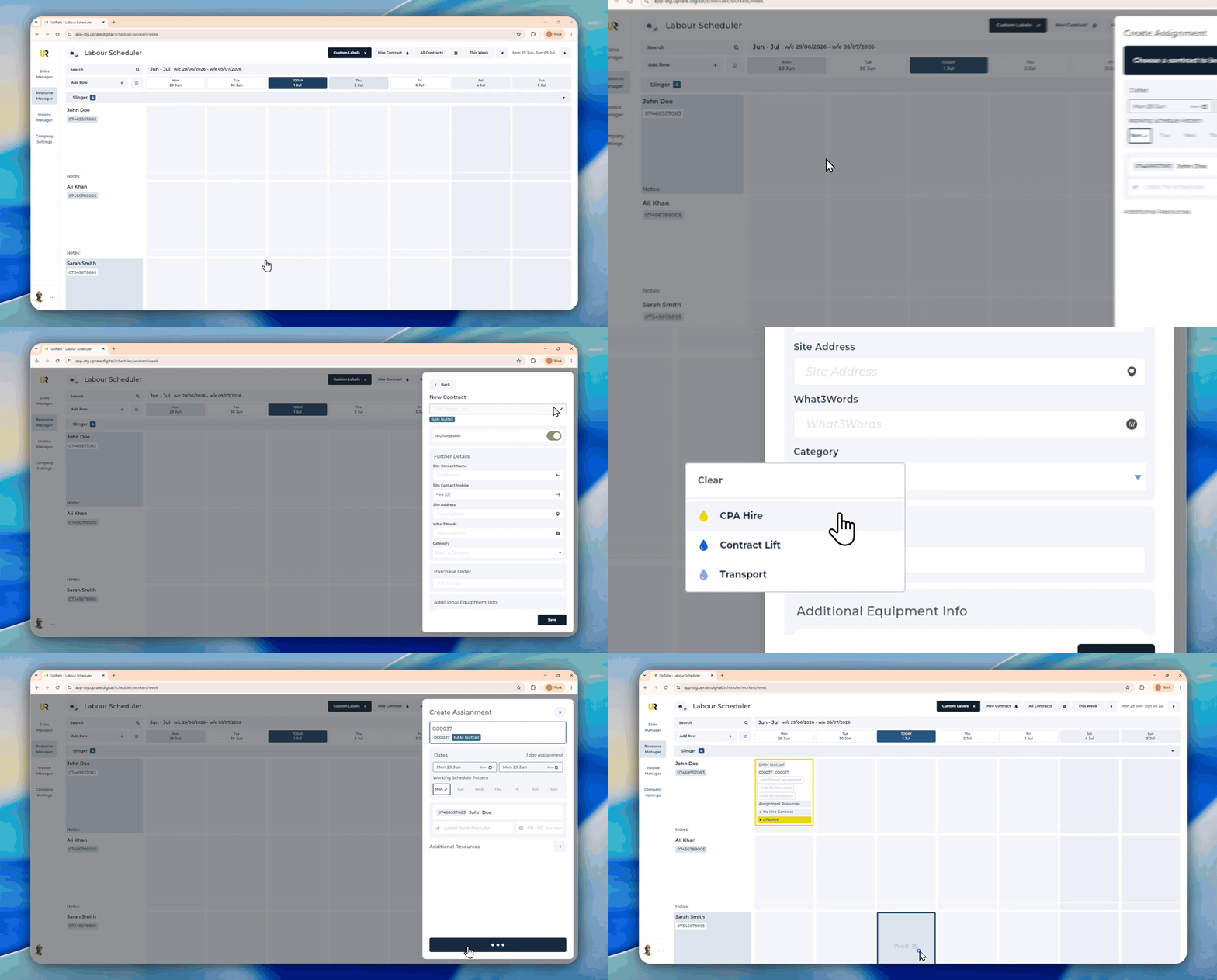
Create Assignment Flow
You can apply a default label while you are creating an assignment.
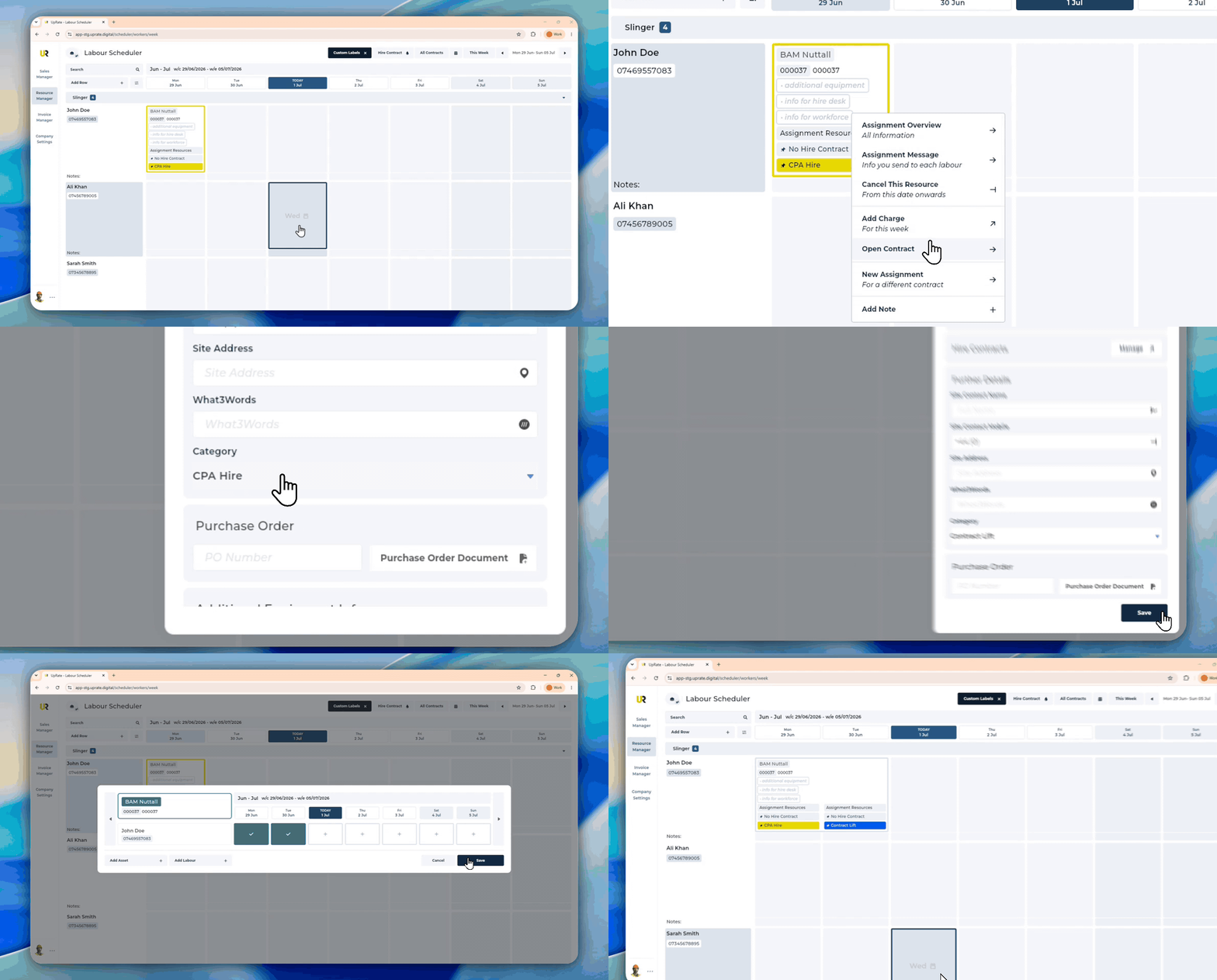
Contract Side Panel
You can change the default label at any time. Please note this will not update existing assignment slots!
Search by Phone Number and Asset ID
When adding resources to an assignment, you can now search using additional identifiers.
For Labour resources you can search by:
Name
Phone number
For Assets you can search by:
Asset name
Plant number/Registration number
Add PO Number When Creating an Assignment
You can now enter a Purchase Order (PO) Number when creating a new assignment directly from the Scheduler.

Week Selection Persists Across Schedulers
The selected week will now stay the same when switching between the Labour Scheduler and Asset Scheduler.
This applies to both:
Single Week View
Multi Week View
A new toggle button has also been added to the top left of the scheduler, making it easier to switch between the different scheduler views.

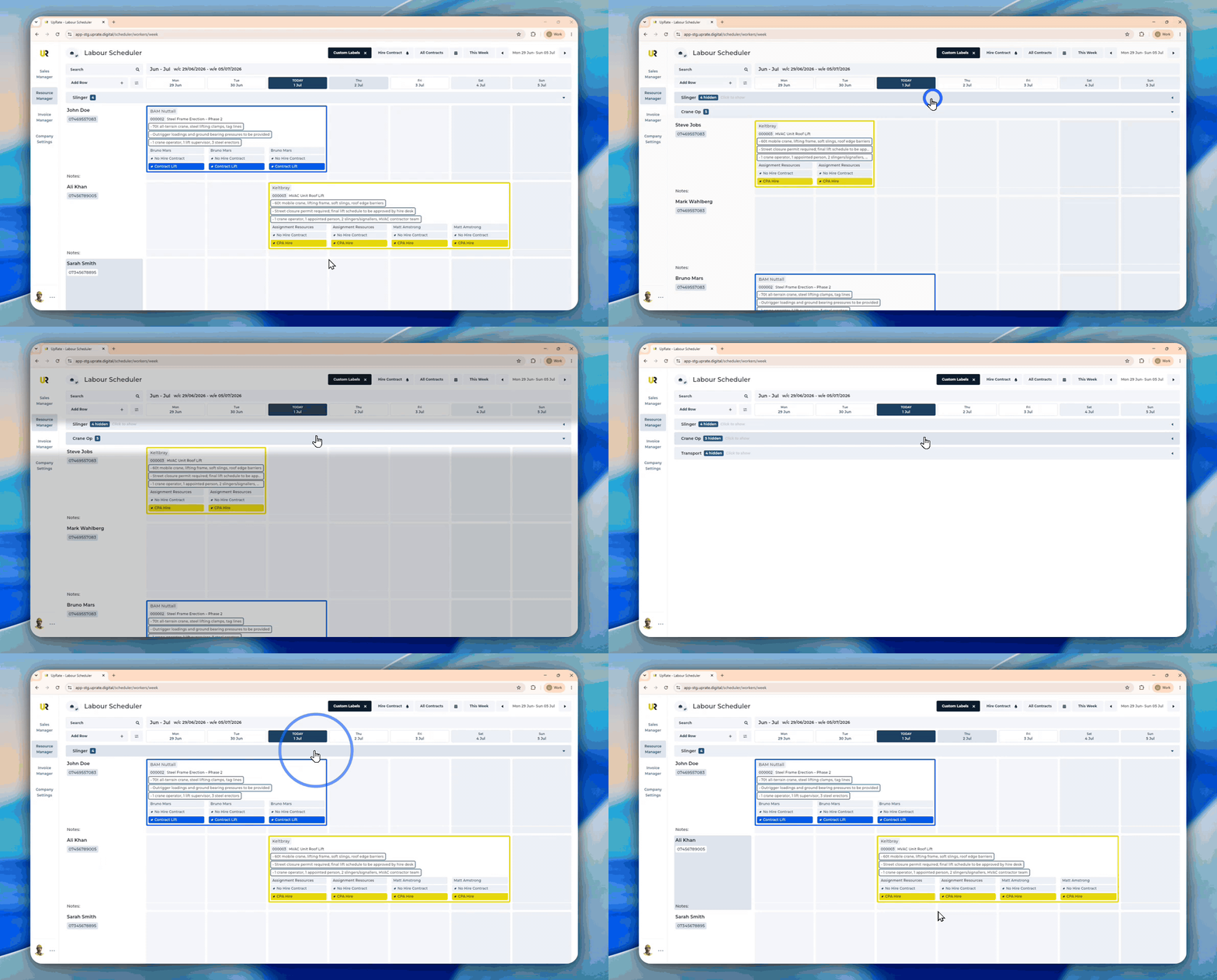
Collapse and Expand Swim Lanes
You can now collapse and expand individual resource swim lanes on the Scheduler.
Simply click on the divider next to a resource to hide or show that resource.
what3words Link in Assignment Messages
Assignment Messages now include the full what3words link for the assignment location.

Timesheet Manager Resource Ordering
Labour resources within the Timesheet Manager will now appear in the same order as they do on the Labour Scheduler.
Improved Timesheet Manager Search
The Timesheet Manager search has been expanded.
You can now search using:
Resource name
Customer name
Contract name
Contract number
This makes it easier to locate timesheets without needing to remember the assigned resource.
Contract Documents on the Invoice Page
The Invoice page now displays all documents uploaded to the contract.

CC Yourself on Invoice Emails
When sending invoices by email, you can now choose to CC your own email address.
This provides a copy of the sent email for your own records without needing to manually add yourself each time.
Xero Default Sales Code and Tax Code
When a customer is linked to a Xero Contact, UpRate will automatically retrieve the default Sales Code and Tax Code configured in Xero.
These defaults will automatically be applied to every new invoice line item.
You can still change these values manually before sending the invoice to Xero if required.
Invoice Due Date
A Due Date has been added to the Invoice page.
When using Xero:
If the linked Xero Contact has default payment terms, the Due Date will be calculated automatically.
If no payment terms exist, the Due Date will default to 30 days after the Issue Date.
The Due Date is now a mandatory field before an invoice can be sent to Xero.
Default Xero Branding Theme
The Invoice page now displays the default Branding Theme configured for the linked Xero Contact.
Before sending an invoice to Xero, you can review and add the Branding Theme manually if required.